
Appearance
v1.0.0
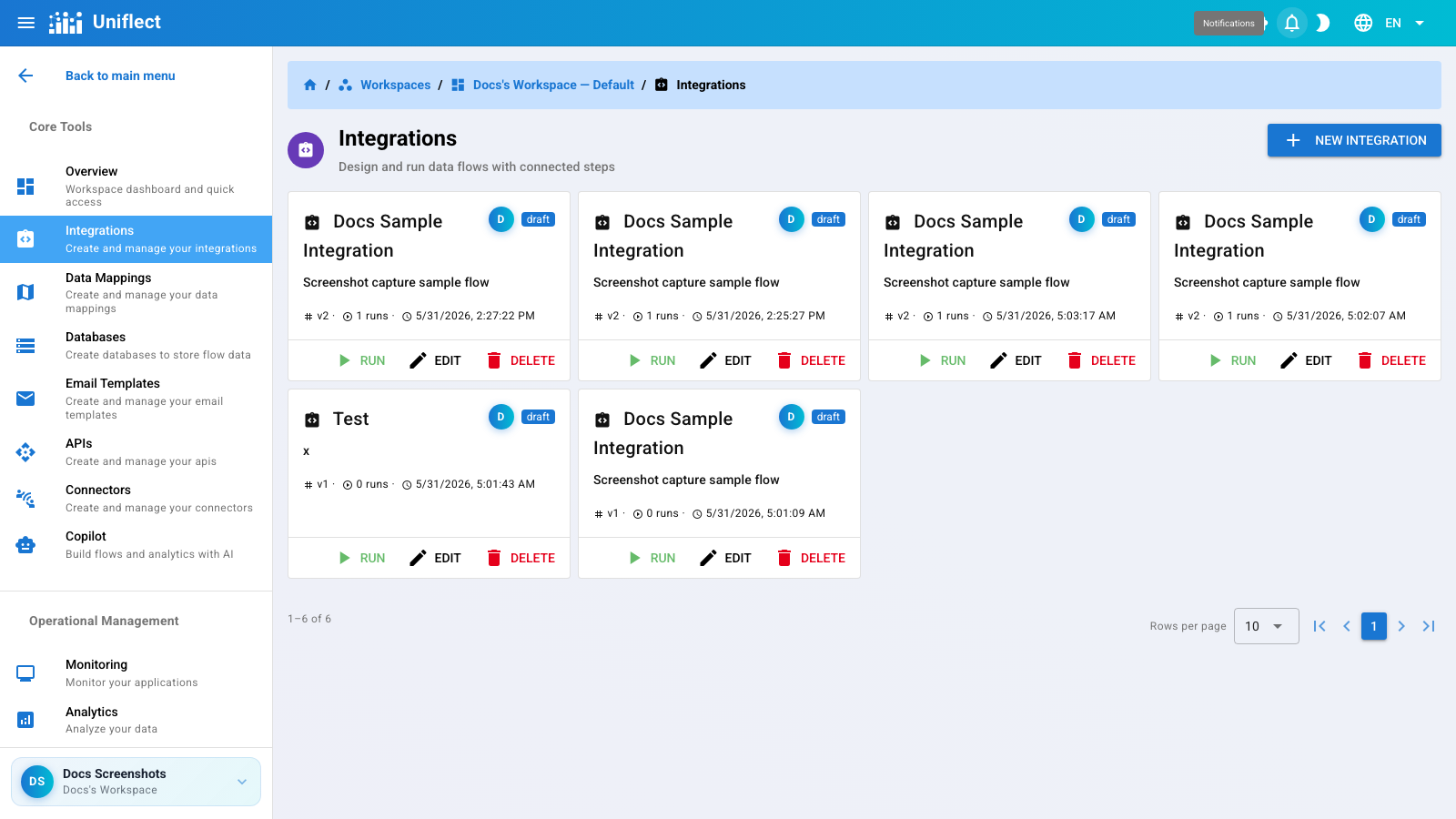
Integrations are visual data flows inside a workspace. Each integration has a flow designer (step graph), run history, and optional API triggers.
Navigate to /workspaces/:workspaceId/integrations.
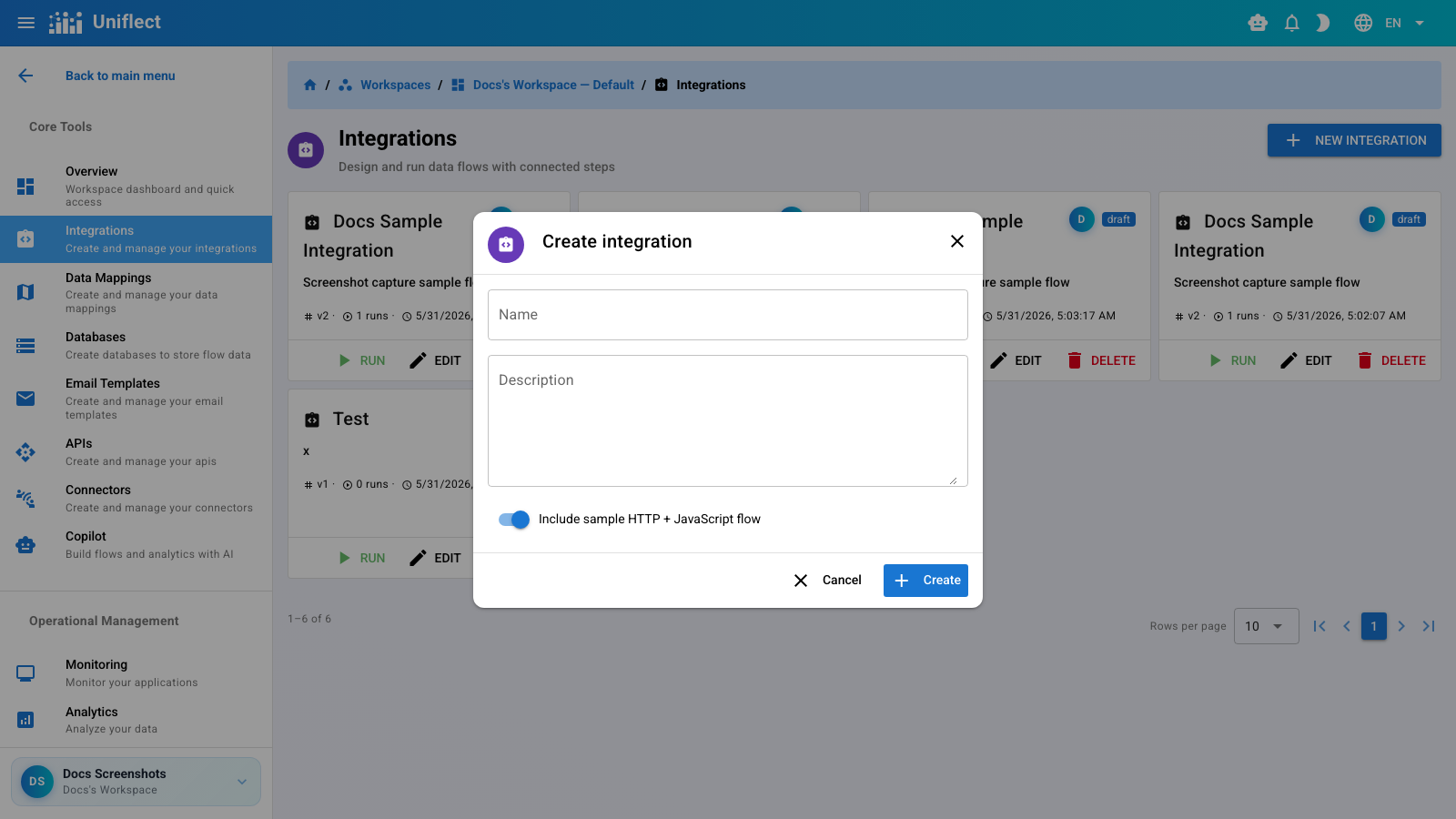
You are redirected to the integration detail page with an empty flow containing a Trigger step.
Route: /workspaces/:workspaceId/integrations/:integrationId
The detail page has two tabs:
| Tab | Purpose |
|---|---|
| Designer | Visual flow canvas and step configuration |
| Runs | Run history with links to run detail |
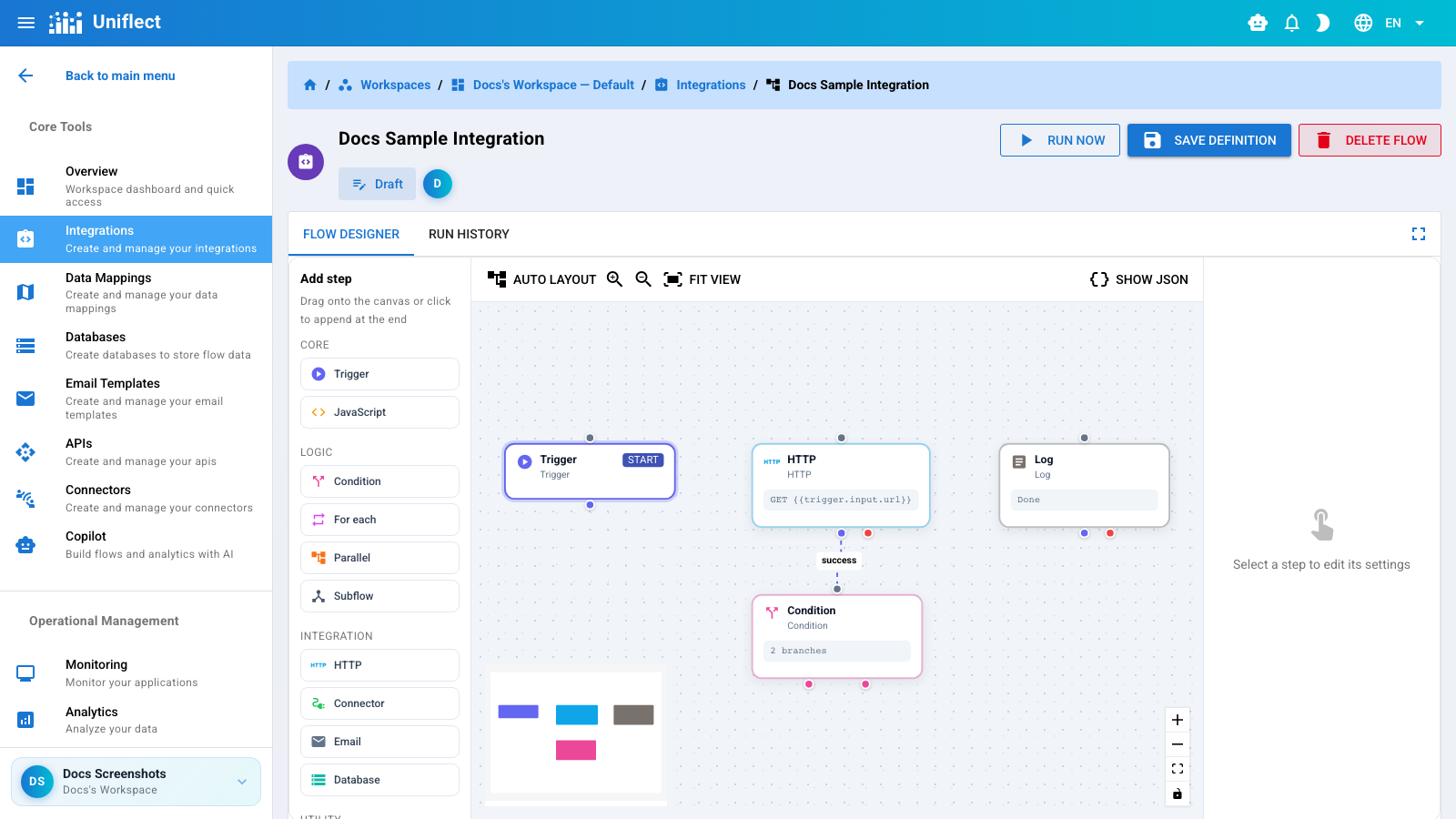
| Action | Description |
|---|---|
| Save | Persist the current flow definition |
| Run now | Save and execute the flow with trigger input |
| Auto-layout | Arrange nodes using dagre layout |
| Zoom | Zoom in/out and fit view |
| JSON preview | Toggle raw flow definition JSON |
Switch to Runs to see execution history.
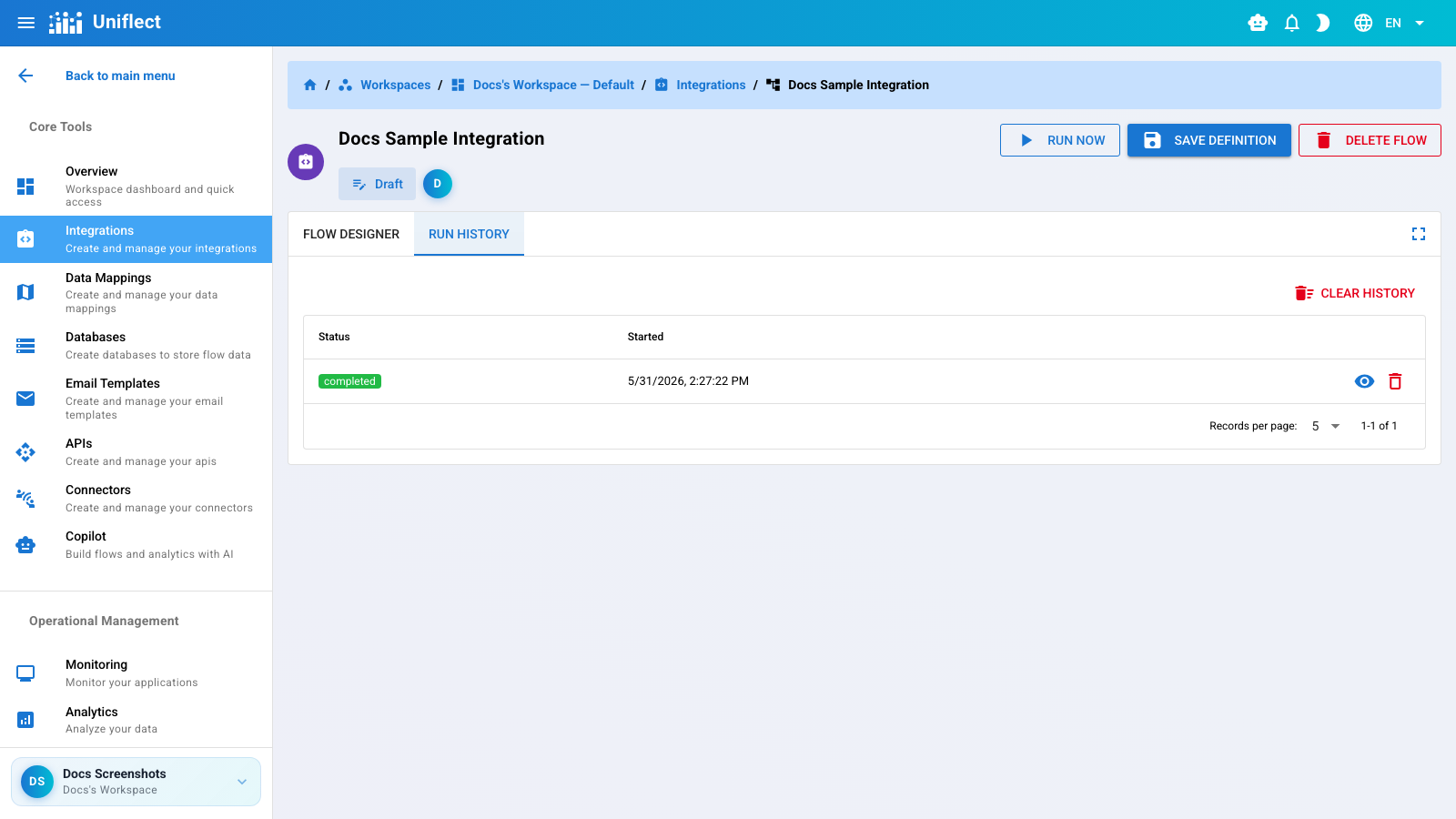
Click a run to open the run detail page.
Route: .../integrations/:integrationId/runs/:runId
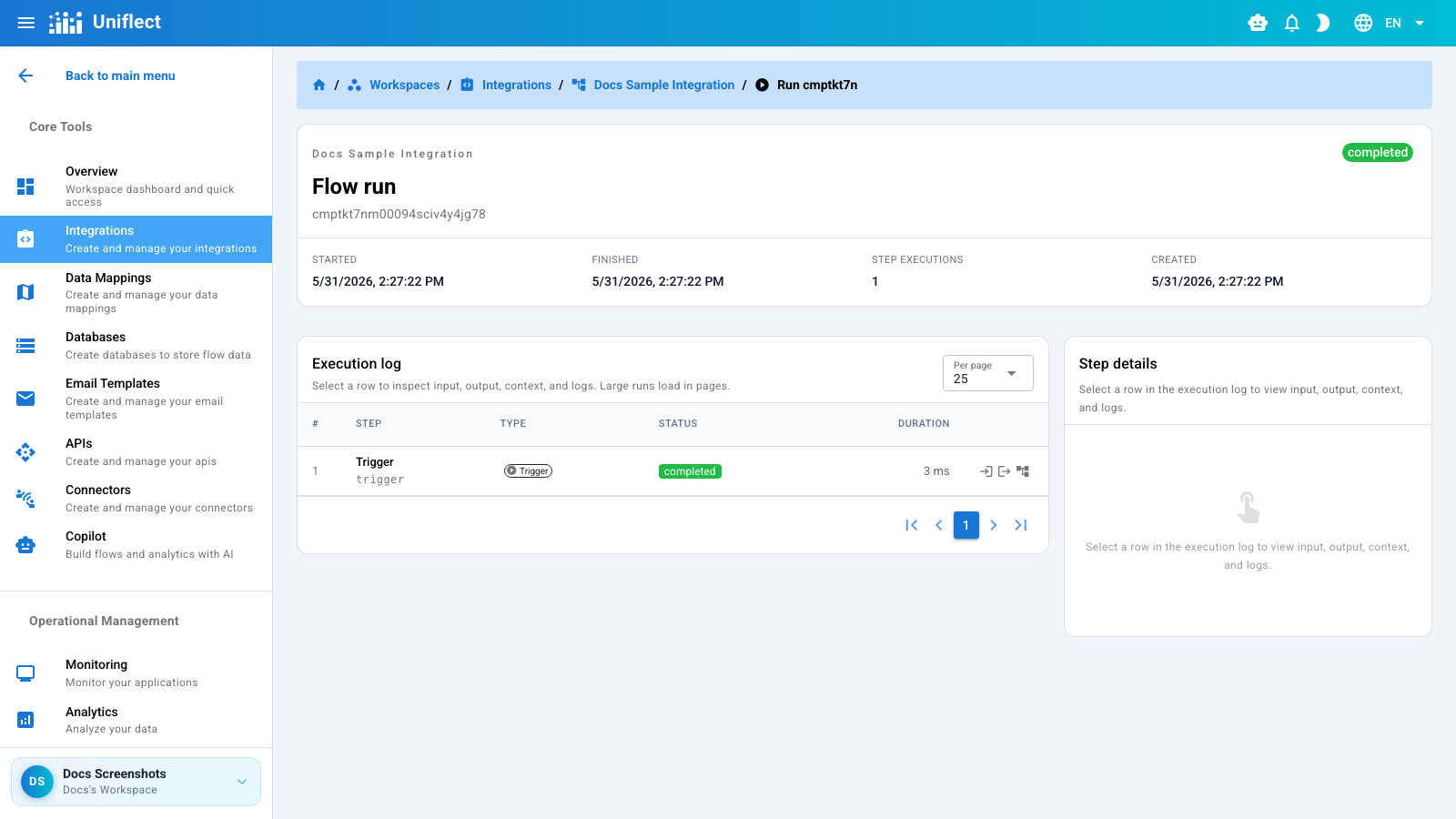
Each step shows:
Click a step to expand the side panel with formatted JSON.
Uniflect supports 15 flow step types. See the Step types section for detailed documentation on each.
| Category | Steps |
|---|---|
| Core | Trigger, JavaScript |
| Logic | Condition, For each, Parallel, Subflow |
| Integration | HTTP, Connector, Email, Database |
| Utility | Mapping, Delay, Set variable, Log, Spreadsheet to JSON |
Steps reference data using template syntax:
| Path | Meaning |
|---|---|
{{trigger.input}} | Payload passed when the flow runs |
{{steps.<stepId>}} | Output of a prior step |
{{vars.<key>}} | Variable set by a Set variable step |
{{parent.steps.<stepId>}} | Parent flow step (inside nested subflows) |