

Appearance
v1.0.0
Uniflect flow designer supports 15 step types organized into four palette groups.
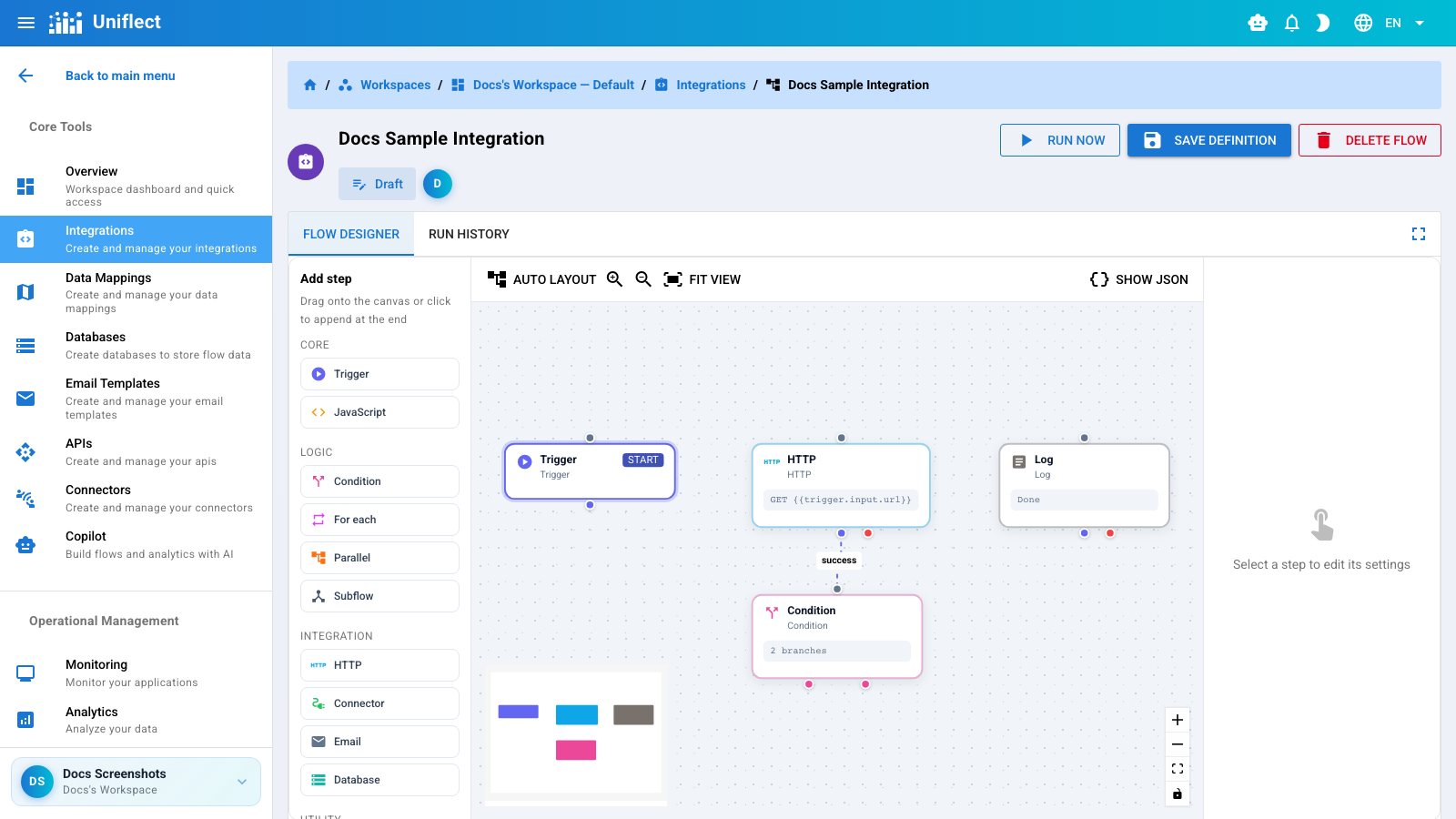
| Step | Category | Purpose |
|---|---|---|
| Trigger | Core | Flow entry point |
| JavaScript | Core | Sandboxed script execution |
| HTTP | Integration | REST/HTTP requests |
| Condition | Logic | Branch on rules |
| For each | Logic | Loop over items |
| Parallel | Logic | Concurrent branches |
| Subflow | Logic | Nested reusable flow |
| Connector | Integration | Marketplace connector ops |
| Integration | Send templated email | |
| Database | Integration | Insert/query workspace DB |
| Mapping | Utility | Field transformation |
| Delay | Utility | Wait milliseconds |
| Set variable | Utility | Store runtime variable |
| Log | Utility | Log message to run output |
| Spreadsheet to JSON | Utility | Parse CSV/Excel |
All steps support template resolution in string fields:
{{trigger.input}}           → run input payload
{{steps.<stepId>}}          → prior step output
{{steps.<stepId>.field}}    → nested field access
{{vars.<key>}}              → set_variable values
{{parent.steps.<stepId>}} → parent flow (nested contexts)| Handle | Used by |
|---|---|
| next | Most steps — success path |
| failure | Steps with error handling paths |
| branch-0, branch-1, … | Condition step branches |
Entry and computation — every flow starts with a Trigger; JavaScript handles custom logic in a QuickJS WASM sandbox.
Control flow — branch, loop, parallelize, or encapsulate subflows.
External I/O — HTTP calls, connectors, emails, and workspace database operations.
Data shaping and debugging — mappings, delays, variables, logs, and spreadsheet parsing.
Browse individual step documentation from the sidebar, or start with Building flows.